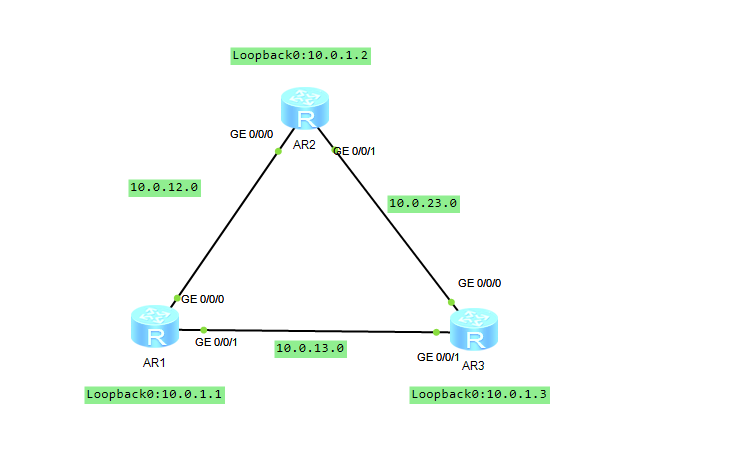
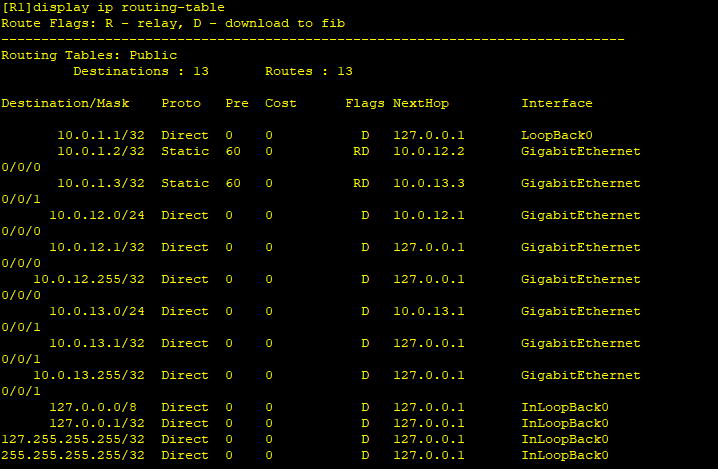
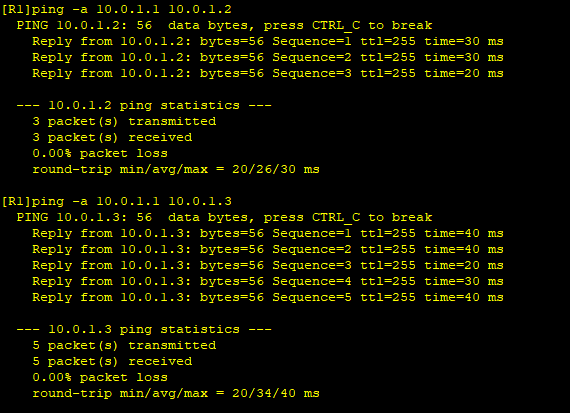
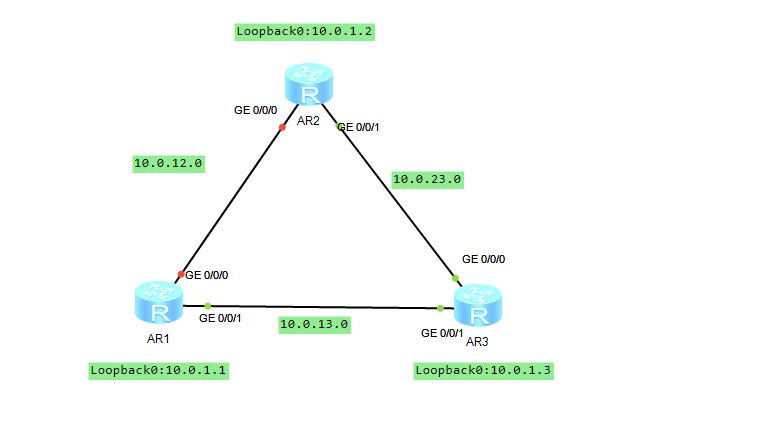
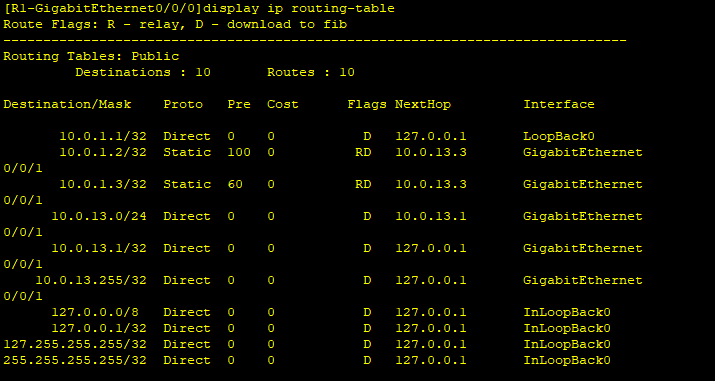
[R1]ip route-static 10.0.1.2 32 10.0.13.3 preference 100[R2]ip route-static 10.0.1.1 32 10.0.23.3 preference 100[R1]interface GigabitEthernet 0/0/0[R1-GigabitEthernet0/0/0]shutdown [R1-GigabitEthernet0/0/0]ping -a 10.0.1.1 10.0.1.2 PING 10.0.1.2: 56 data bytes, press CTRL_C to break Reply from 10.0.1.2: bytes=56 Sequence=1 ttl=254 time=40 ms Reply from 10.0.1.2: bytes=56 Sequence=2 ttl=254 time=30 ms Reply from 10.0.1.2: bytes=56 Sequence=3 ttl=254 time=40 ms Reply from 10.0.1.2: bytes=56 Sequence=4 ttl=254 time=30 ms Reply from 10.0.1.2: bytes=56 Sequence=5 ttl=254 time=30 ms [R1-GigabitEthernet0/0/0]tracert -a 10.0.1.1 10.0.1.2 traceroute to 10.0.1.2(10.0.1.2), max hops: 30 ,packet length: 40,press CTRL_C to break 1 10.0.13.3 30 ms 20 ms 20 ms 2 10.0.23.2 30 ms 30 ms 20 ms
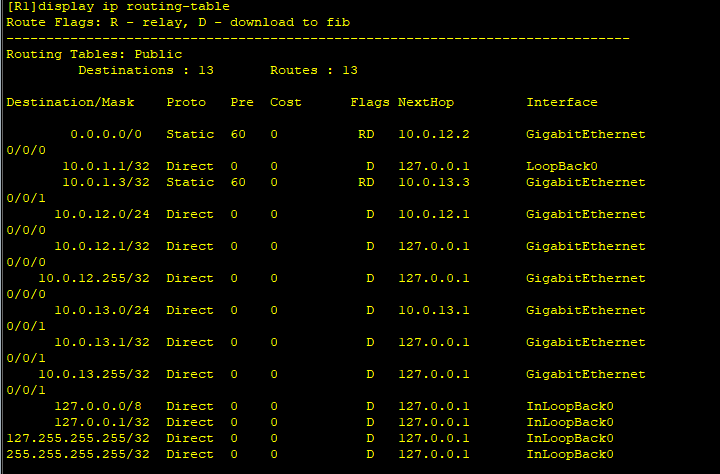
[R1]undo ip route-static 10.0.1.2 255.255.255.255 10.0.12.2[R1]undo ip route-static 10.0.1.2 255.255.255.255 10.0.13.3 preference 100[R1]ip route-static 0.0.0.0 0 10.0.12.2[R1]ping -a 10.0.1.1 10.0.1.2 PING 10.0.1.2: 56 data bytes, press CTRL_C to break Reply from 10.0.1.2: bytes=56 Sequence=1 ttl=255 time=20 ms Reply from 10.0.1.2: bytes=56 Sequence=2 ttl=255 time=20 ms Reply from 10.0.1.2: bytes=56 Sequence=3 ttl=255 time=30 ms