4.ssh登录配置 | Evergreen Notesssh登录配置
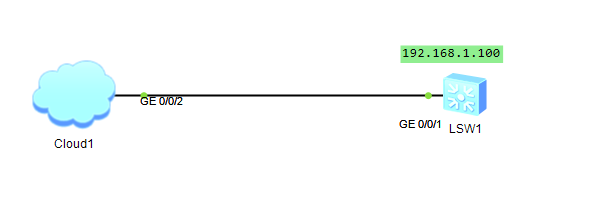
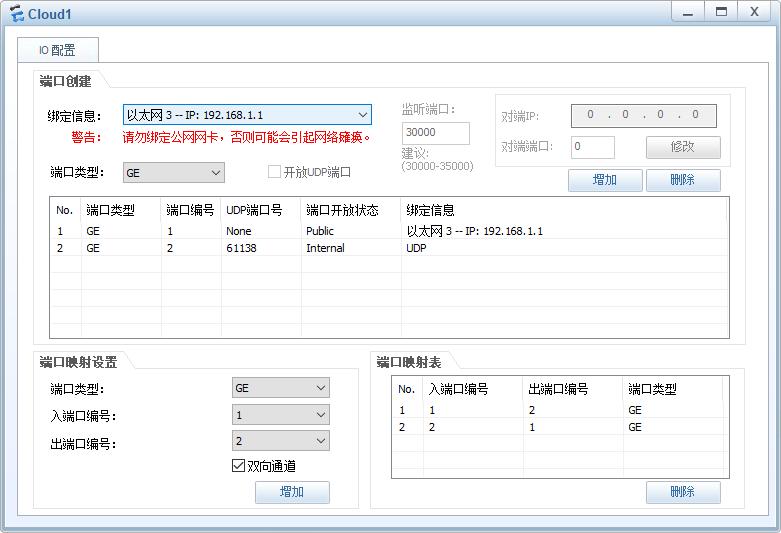
#创建VLAN100:
[SW] vlan 100
[SW-vlan100] quit
#配置接口GE0/0/1:
[SW] interface GigabitEthernet 0/0/1
[SW-GigabitEthernet0/0/1] port link-type access
[SW-GigabitEthernet0/0/1] port default vlan 100
#为交换机的Vlanif100配置IP地址:
[SW] interface Vlanif 100
[SW-Vlanif100] ip address 192.168.1.100 24
#配置用于SSH登录的用户名(client001)、密码(Huawei123):
[SW] aaa
[SW-aaa] local-user client001 password cipher Huawei123
[SW-aaa] local-
user client001 privilege level
3
[SW-aaa] local-user client001 service-type ssh
[SW-aaa] quit
#在交换机上生成本地密钥对:
[SW] rsa local-key-pair create
The key name will be: SW_Host
The range of public key size is (512 ~ 2048).
NOTES: If the key modulus is greater than 512,
it will take a few minutes.
Input the bits in the modulus[default = 512]:
Generating keys...
...++++++++++++
.++++++++++++
..................++++++++
......++++++++
#激活Stelnet服务:
[SW] stelnet server enable
[SW] ssh authentication-type default password
[SW] ssh user client001 authentication-type password
[SW] ssh user client001 service-type all
#配置VTY(虚拟终端)界面,身份认证方式为AAA认证,允许用户以SSH的方式接入:
[SW] user-interface vty 0 4
[SW-ui-vty0-4] authentication-mode aaa
[SW-ui-vty0-4] protocol inbound ssh